Pro Edition
Feature Guide

Pro Edition is a one-time purchase that unlocks additional features on top of Basic Edition. It is designed for people who want their breaks to be unskippable, and who want to turn break reminders into small habits that are actionable and trackable.

Strict Break Mode enabled
Goal check-in card on the break screen

What Pro Edition includes

Pro Edition focuses on two core goals: ensuring your breaks actually happen, and tailoring break content to match your personal habits.

This edition includes three upgraded features: Strict Break Mode, Custom Break Content, and Goal Check-In Mode.

01 / Strict Break Mode

In Basic Edition, you can receive break reminders normally, but you cannot enable Strict Breaks. After purchasing Pro Edition, you can turn it on in App Settings > Break Settings.

  • After it is enabled, it takes effect when the app automatically enters a break.
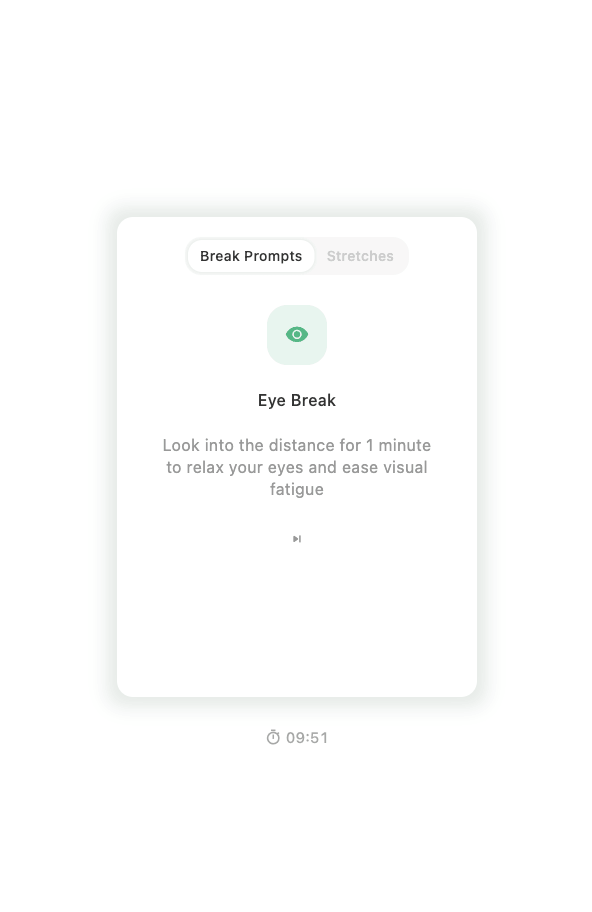
  • During the break, the app stays on the break screen until the countdown ends.
  • During this time, you cannot manually end, skip, or snooze the break.

Best for these situations

Useful when you sit for long periods, often ignore break reminders, or want stronger constraints to help you actually stop and rest.
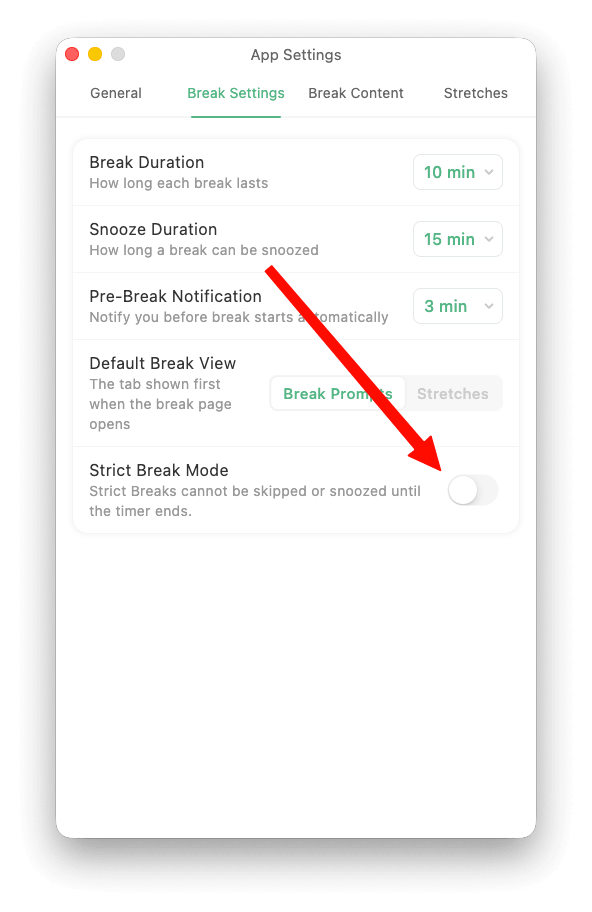
Strict Break Mode settings screenshot
Strict Break Mode settings
Strict Breaks window screenshot
Strict Break Mode enabled

02 / Custom Break Content

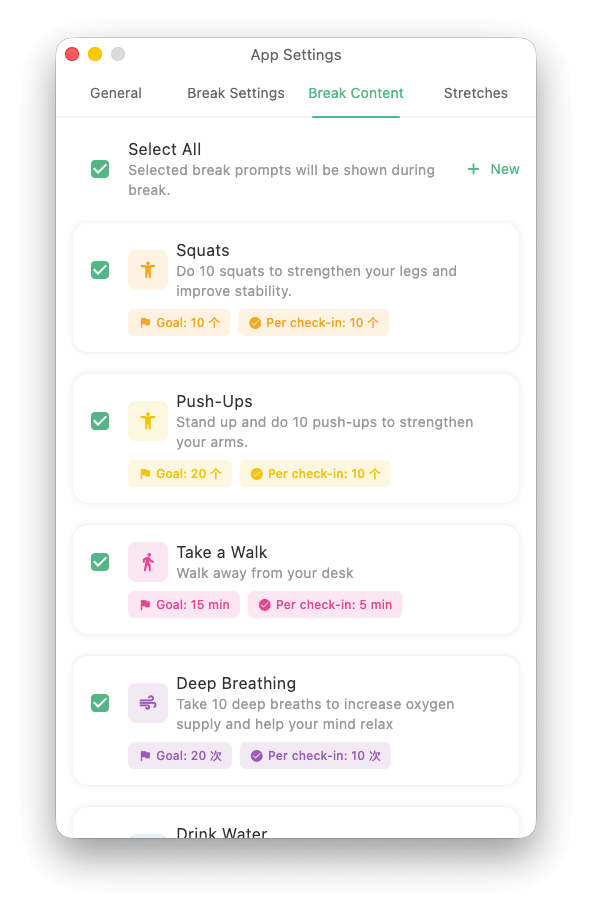
Basic Edition provides default break prompts, such as looking into the distance, drinking water, taking a deep breath, walking around, or stretching. Pro Edition lets you expand and organize these prompts around your own habits.

  • You can add up to 10 custom break prompts and build your own personal break list.
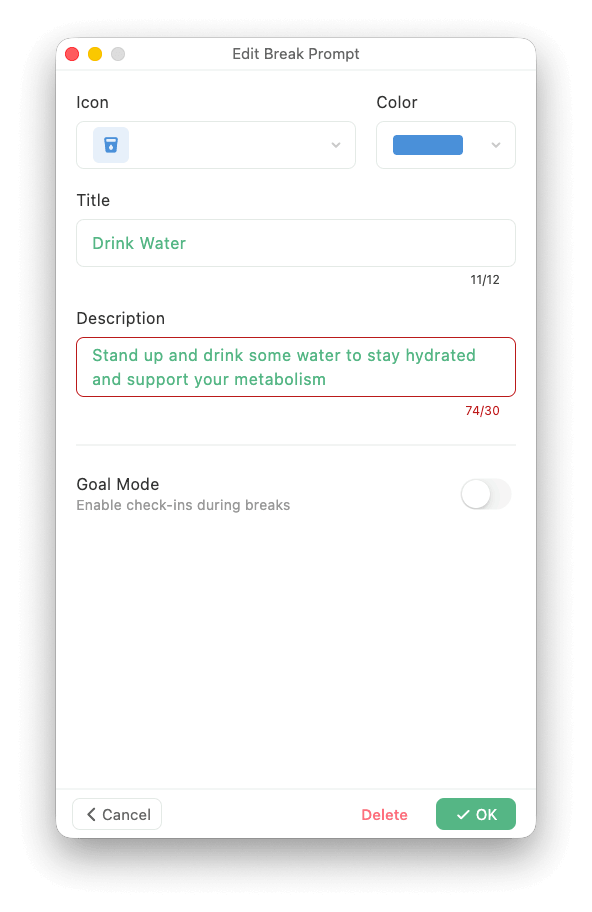
  • You can edit the icon, color, title, and description so each prompt better matches your routine.
  • You can enable or disable items one by one, or use Select All to quickly control what appears during breaks.

Good ways to use it

For example, you can turn drinking water, standing stretches, looking far away, walking in place, or shoulder and neck relaxation into prompts that better fit your own rhythm.

Break content management screenshot
Break content management
Add or edit break prompt screenshot
Add or edit a break prompt

03 / Goal Check-In Mode

Pro Edition also lets you turn a break prompt into a small cumulative goal. You can enable Goal Mode for any break prompt, then complete one check-in during each break.

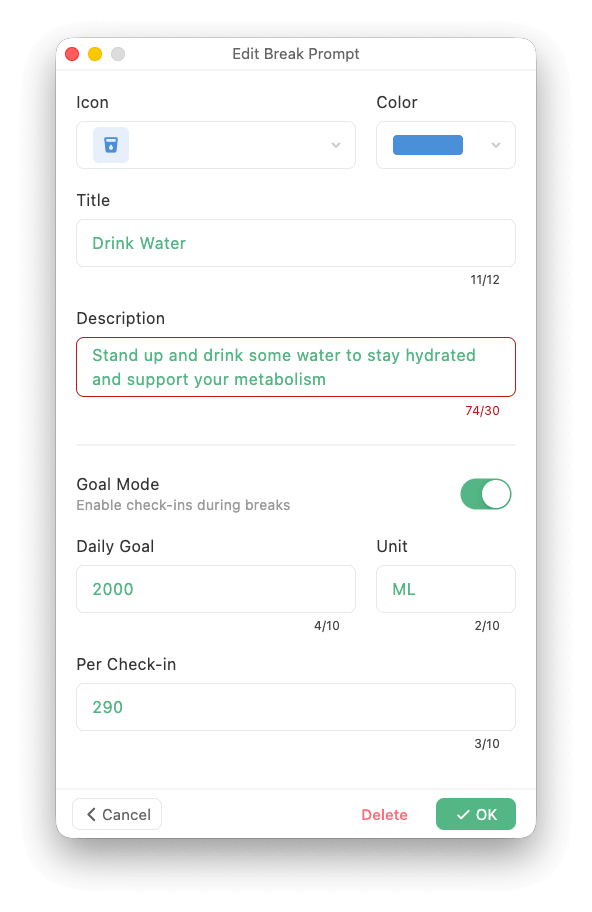
  • Enable Goal Mode while editing a break prompt.
  • Set your daily goal, unit, and the increment per check-in.
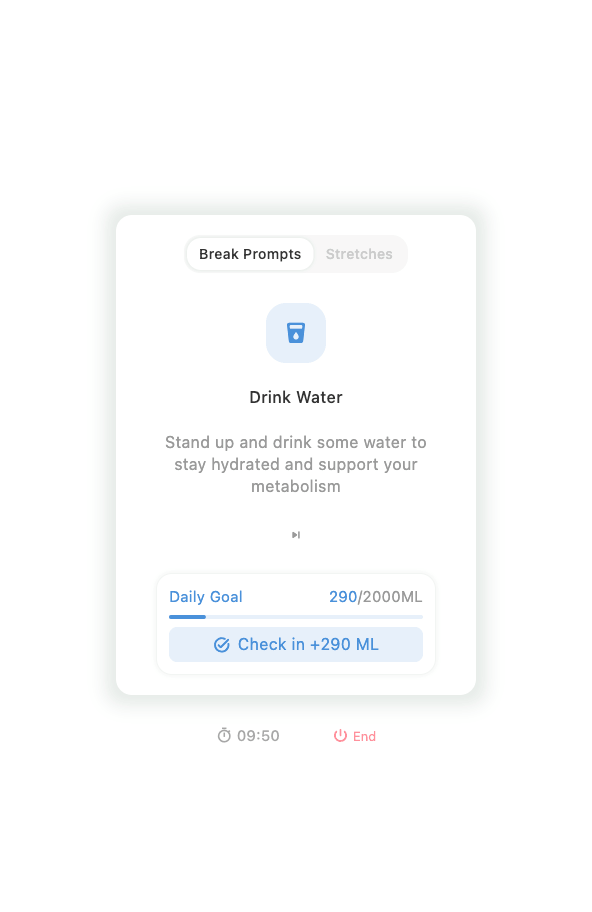
  • The break screen shows today's progress, such as 400 / 2000 ml.
  • After you check in, the app automatically adds to today's progress and helps you build a lasting small habit.

Common uses

Water check-ins, eye-care check-ins, standing activity check-ins, deep-breathing check-ins, or any small goal you want to keep over time during work breaks.

Goal Mode configuration screen screenshot
Goal Mode configuration
Goal check-in card screenshot
Goal check-in card on the break screen

Reasons to choose Pro Edition

You need stronger follow-through

You often see reminders but keep working, and want the app to truly help you stop and rest.

You need break content that fits you

The default prompts are not enough, and you want a more personal set of break content built around your habits.

You want breaks to support habits

You want to complete small goals during breaks, such as drinking water, looking far away, or standing up, and see today's progress.

Pro Edition includes all Basic Edition features

If you also need stretching exercises and exercise demo video guidance, continue to the Advanced Edition guide.

View Advanced Edition Guide